Pulipuli, now you can earn 10+ points for your lists

How to publish great lists on Google Maps.

Google Local Guides
New! Earn Local Guides points for amazing lists
Lists on Google Maps are the easiest way to share recommendations of places you love, and now you can earn 10 points for each list you create and make public. Plus: Earn 5 bonus points for helpful details, like a description of your list theme, and notes about each place. Tips below!
Make a list
Discover great lists
Do you love finding family-run restaurants or the best jazz clubs in your city? Make a public list of your favorite spots and help others find great new places. Get inspired by these awesome lists from Local Guides around the world.
Andrés Martínez
Andrés Martínez
Places to play boardgames in Mexico City By Andrés Martínez
Kritt Normsaskul
Kritt Normsaskul
The Best Quirky Bars in London By Kritt Normsaskul
Luca Scia
Luca Scia
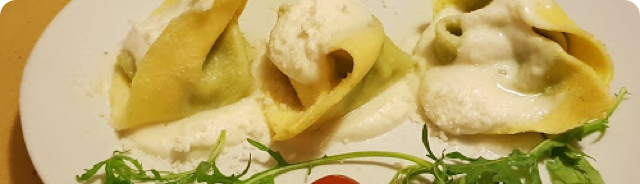
I love Cacio&Pepe By Luca Scia
Create a list worth 15 points
How to create a list worth 15 points (or more!)
You'll earn 10 points for a public list and 5 bonus points for a description. Add notes about each place for an extra 5 bonus points each.
1 Open your Google Maps app Menu > Your places > Saved
2 Tap Add to start a new list
3 Give your list a clear name, add a helpful description, and tap Save
4 Open the list and add at least 4 places
5 Make sure your list is public
6 Add notes about the places in your list for an additional 5 bonus points each
Get started
Did you like this email?
:(   :|   :)
  instagram   youtube   facebook   twitter  
You received this message because you're signed up for emails from Local Guides about news and product updates. You may unsubscribe or update your email preferences on the Local Guides settings page.
Google
© 2019 Google Asia Pacific Pte. Ltd., 70 Pasir Panjang Road, #03-71, Mapletree Business City, Singapore 117371